How to Run a 15-Minute Stand-Up That Actually Ends on Time
Most daily stand-ups are booked for 15 minutes and run for 25. The fix is a fixed agenda with a time budget for every part, including a per-person limit worked out from the size of your team. Here is the structure, the maths for teams of 4 to 10, and the habits that keep it short.
By Om Vaghani, editor at ClockAura (ConnectGo Infoware). Published 2 November 2026.
The daily stand-up is supposed to be the shortest meeting of the day. In a lot of teams it quietly becomes one of the longest. It is booked for 15 minutes, starts 3 minutes late while people join, and drifts to 25 because two people start solving a bug together while everyone else waits.
That extra 10 minutes looks small. Across a team it is not. If 8 people lose 10 minutes a day, that is 80 minutes of team time every day, or 400 minutes across a five-day week. That is 6 hours and 40 minutes a week spent on overrun alone.
The good news is that stand-ups usually run long for the same few reasons, and a simple, timed structure fixes most of them. This guide gives you that structure, shows how to work out a fair time limit per person, and covers the habits that make it stick.
What a stand-up is for
A stand-up has one job: help the team coordinate for the next day of work. The Scrum Guide, where the format is most formally defined, describes the Daily Scrum as a 15-minute event whose purpose is to inspect progress toward the team's goal. In practice that means each person shares, briefly:
- What they finished or moved forward since the last stand-up.
- What they plan to work on next.
- Anything blocking them, or anything they need from someone else.
Notice what is not on the list: status reporting to a manager, detailed technical discussion, or solving problems. Those are all valuable. They just do not belong in a 15-minute meeting with the whole team listening.
The 15-minute agenda
Here is a structure that fits into 15 minutes with a small buffer. The only part that changes with team size is the per-person updates.
| Block | Time | What happens |
|---|---|---|
| Start | 1 min | Facilitator opens on the minute, states anything urgent for everyone |
| Updates | 10 min | Each person speaks in turn, with a fixed time limit |
| Blockers | 2 min | Quickly assign each blocker an owner and a follow-up, do not solve it here |
| Parking lot | 1 min | Name the follow-up conversations and who stays for each |
| Buffer | 1 min | Absorbs small overruns so you still end on time |
Check the total: 1 + 10 + 2 + 1 + 1 = 15 minutes.
The idea is that every minute has a purpose before the meeting starts. When something does not fit in its block, it moves to the parking lot instead of stretching the meeting.
Working out the time per person
The updates block is 10 minutes. Divide it by the number of people giving updates.
Time per person = 10 minutes / number of people
It is easier to work in seconds: 10 minutes is 600 seconds.
| Team size | Calculation | Time per person |
|---|---|---|
| 4 | 600 / 4 = 150 s | 2 min 30 s |
| 5 | 600 / 5 = 120 s | 2 min |
| 6 | 600 / 6 = 100 s | 1 min 40 s |
| 8 | 600 / 8 = 75 s | 1 min 15 s |
| 10 | 600 / 10 = 60 s | 1 min |
Worked example: a team of 7
- 600 seconds / 7 people = 85.7 seconds each.
- That is awkward to time, so round down to a friendly number: 80 seconds, which is 1 minute 20 seconds.
- Check: 7 x 80 = 560 seconds, which is 9 minutes 20 seconds.
- The 40 seconds left over join the buffer, so the buffer becomes 1 minute 40 seconds.
Rounding down rather than up matters. If you round 85.7 up to 90 seconds, the updates take 7 x 90 = 630 seconds, which is 10 minutes 30 seconds, and you have already eaten half of your buffer before anyone overruns.
What about teams larger than 10?
At 12 people, 600 / 12 = 50 seconds each. That is short enough that updates become rushed, and with that many people most of each update is irrelevant to most listeners. Many teams in that situation split into two smaller stand-ups, for example by project or product area, and have one person from each group pass key points across. It usually saves more time than it costs.
Using a timer without making it awkward
Time limits only work if everyone can see them, and if nobody has to play the bad guy. A visible timer solves both problems. The timer, not the facilitator, signals that time is up.
Two practical setups:
- One timer for the whole meeting. Start a 15-minute countdown on the shared screen when the meeting begins. Everyone can see how much time is left, which naturally keeps updates short.
- A timer per speaker. A meeting mode agenda or a simple countdown set to each person's limit, restarted as each speaker begins. A soft chime at the end is enough. Nobody needs to be cut off mid-sentence, they just finish the point and hand over.
Many teams start with a per-person timer for the first few weeks until the habit forms, then switch to a single meeting timer once updates are naturally short.
Habits that keep it short
Start on the minute, not when everyone arrives. Waiting for latecomers rewards lateness and punishes everyone who was on time. If someone joins late, they give their update at the end.
Keep a fixed speaking order. Alphabetical, or the order people appear on screen, or passing to the person on your left. Deciding who goes next wastes a surprising amount of time.
Use the "take it offline" phrase. When two people start going deep into a topic, the facilitator says something like "Let us take that to the parking lot, can you two stay on after?" Then move on. This only works if the parking lot reliably happens, so make sure it does.
Talk about work, not effort. "I spent all day on the login bug" says less than "Login bug is fixed on staging, I need a review from Priya". The second is shorter and more useful.
Let the blockers block be about owners, not answers. For each blocker, the only question is: who will help, and when? The actual help happens after the meeting.
Rotate the facilitator. If the same person always runs it, the stand-up can turn into a report to that person. Rotating weekly keeps it a team conversation.
A sample stand-up for a team of 5
Each person gets 2 minutes, from the table above.
| Clock | Block |
|---|---|
| 0:00 - 1:00 | Start |
| 1:00 - 3:00 | Person 1 |
| 3:00 - 5:00 | Person 2 |
| 5:00 - 7:00 | Person 3 |
| 7:00 - 9:00 | Person 4 |
| 9:00 - 11:00 | Person 5 |
| 11:00 - 13:00 | Blockers |
| 13:00 - 14:00 | Parking lot |
| 14:00 - 15:00 | Buffer |
In practice, most people will not use their full 2 minutes, and the meeting will often end early. That is a feature, not a problem. Nobody has ever complained that a stand-up finished at minute 11.
Common mistakes
- Waiting for everyone before starting. Every minute of waiting is multiplied by the number of people already there.
- Rounding the per-person time up. As shown above, 90 seconds each for 7 people uses half the buffer before anyone overruns.
- Solving problems in the meeting. Name the blocker, give it an owner, discuss it afterwards.
- Letting it become a report to the manager. Updates are for the team; rotate the facilitator.
- Skipping the parking lot. If follow-ups never happen, people will insist on talking things through in the stand-up.
Remote and hybrid stand-ups
Online stand-ups add a few specific problems:
- Joining delays. Ask people to join a minute early, and start on time anyway.
- Talking over each other. A fixed speaking order fixes this almost entirely.
- Camera and mic fumbling. Encourage people to be unmuted and ready when their turn is one away.
- Different time zones. If your team is spread across regions, choose a time that falls inside everyone's working hours, and recheck it when clocks change for daylight saving.
How to know it is working
Track a few simple things for two weeks:
- How many minutes past the scheduled end did it run each day?
- How many items went to the parking lot?
- Did anyone say they learned something useful they would not have known otherwise?
If the meeting ends on time, the parking lot is being used, and people still find it useful, your stand-up is healthy. If it ends on time but nobody finds it useful, the issue is the content, not the length, and it may be worth asking the team what they need from it.
FAQ
Does everyone have to actually stand? No. The name comes from the idea that standing keeps meetings short. What actually keeps it short is the structure and the time limits.
Should managers give an update too? If they are part of the day-to-day work, yes, with the same time limit as everyone else.
What if someone has nothing to report? That is fine. "No change, no blockers" is a perfectly good 5-second update.
What if a blocker is urgent? Name it in the blockers block, agree on who will help, and have that conversation straight after the meeting. Urgent does not mean it has to be solved in front of everyone.
Is 15 minutes always the right length? For most teams of up to about 8 people, it is plenty. Smaller teams may need only 10. The point is to pick a length, give every part a time budget, and protect the finish time.
Try it with ClockAura
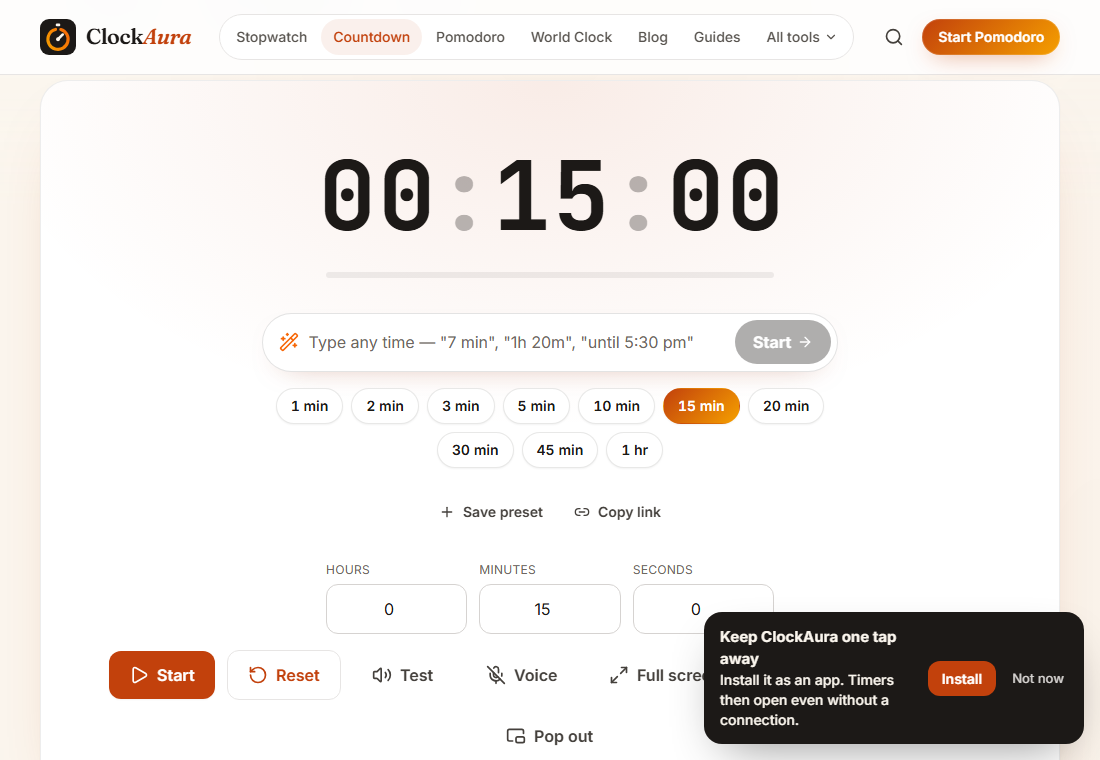
We set the countdown to 15 minutes for the screenshot above. To use it in your next stand-up:
- Open the countdown timer set to 15 minutes.
- Share that tab on the call, or put it on the meeting-room screen.
- Press start on the minute the meeting is booked for, even if someone is missing.
- If you want each agenda block timed separately, use meeting mode instead.
Sources
- Ken Schwaber and Jeff Sutherland, The Scrum Guide (Daily Scrum section).
