Timeboxing: How to Give Every Task a Time Limit
Timeboxing means deciding in advance how long a task gets, then stopping when the time is up. It sounds rigid, but it is one of the easiest ways to stop small jobs swallowing your day. Here is how it works, how to size your boxes, a sample timeboxed day, and how it differs from Pomodoro.
By Om Vaghani, editor at ClockAura (ConnectGo Infoware). Published 31 October 2026.
Most to-do lists have a hidden problem. They tell you what to do, but not how long each thing is allowed to take. So an email that should take 10 minutes takes 40, a "quick" slide edit eats the afternoon, and the important task at the bottom of the list gets pushed to tomorrow again.
Timeboxing fixes this by flipping the question. Instead of asking "how long will this take?", you decide "how long is this worth?" You give the task a fixed box of time, work on it only inside that box, and when the time is up, you stop and move on.
This guide covers how to do it, how to pick box sizes, a full example day, and how it compares with the Pomodoro technique.
What timeboxing actually is
A timebox has three parts:
- A task. One specific piece of work, like "write the first draft of the project update".
- A fixed amount of time. For example, 45 minutes.
- A rule for the end. When the time runs out, you stop, even if it is not finished, and decide what happens next.
That third part is what makes it different from just estimating. An estimate is a guess you are allowed to blow past. A timebox is a limit you agree to respect.
There are two main flavours:
- Hard timebox: the task must be finished, or at least brought to a usable state, inside the box. Good for things that tend to expand, like email, research or tidying up a document.
- Soft timebox: you work on the task for the set time, then reassess. Good for big, open-ended work like writing or design, where you can't finish in one go but want steady progress.
Why a time limit helps
It stops work from expanding
Tasks tend to fill whatever time you give them. If you have all afternoon to write a short report, it will often take all afternoon. Give it 60 minutes and you start making decisions faster, because you have to.
It makes you choose what "done" looks like
When you know you have 30 minutes, you have to decide up front what a good-enough result is. That stops polishing things that don't need polishing.
It protects the important work
If every task has a box on your calendar, the important work gets a real slot, not whatever is left over at 5 pm.
It makes starting easier
"Work on the presentation" is daunting. "Spend 25 minutes on the presentation outline" is not. A visible end point lowers the barrier to starting.
How to timebox a day: step by step
1. List the tasks
Write down what you need to do today or this week. Be specific. "Marketing" is not a task. "Write three subject lines for Thursday's newsletter" is.
2. Estimate, then decide
For each task, make a quick estimate. Then decide what it is worth. Sometimes these match. Often the honest answer is "this could take 2 hours, but it is worth 45 minutes".
3. Put the boxes on your calendar
Block the time on your calendar or a written schedule. Put your most demanding tasks in the part of the day when you think best, for many people the morning.
Leave gaps. A day packed edge to edge with boxes will fall apart by 11 am. A practical starting point is to leave roughly a quarter of your working time unscheduled for overruns and interruptions, then adjust after a week.
4. Run each box with a timer
When a box starts, start a countdown for that length. Work on only that task. When the alarm goes, stop.
5. Decide at the end of each box
When the timer ends, pick one of three options:
- Done: tick it off.
- Good enough: ship what you have.
- Needs more: give it a new box later, and be honest about why the first one was not enough.
6. Review at the end of the day
Spend 5 minutes looking at how your boxes went. Which tasks overran? Which finished early? Over a couple of weeks, your estimates get much better.
How big should a box be?
There is no single right size, but these ranges work for most people:
| Task type | Suggested box |
|---|---|
| Email and messages | 15-30 min, two or three times a day |
| Admin (forms, bookings, expenses) | 15-30 min |
| Meeting prep | 15-20 min |
| Writing a draft | 45-90 min |
| Deep focused work (coding, analysis, design) | 60-90 min |
| Reading or research | 30-60 min |
| Planning the day | 10 min |
| Planning the week | 30 min |
Boxes much shorter than 15 minutes are usually better handled in a batch (the two-minute rule plus a 15-minute sweep handles them well). Boxes longer than 90 minutes tend to lose focus; it is usually better to split them into two boxes with a break between.
A sample timeboxed day
Here is an example for someone working a standard office day. The tasks are realistic, and there are deliberate gaps.
| Time | Box | Length | Notes |
|---|---|---|---|
| 9:00 | Plan the day | 10 min | Choose top 3 tasks |
| 9:10 | Write client proposal draft | 80 min | Hardest task first, phone away |
| 10:30 | Break | 15 min | Walk, water |
| 10:45 | Email and messages | 30 min | Hard box: reply, archive, move on |
| 11:15 | Buffer | 15 min | Catch overruns |
| 11:30 | Team meeting | 30 min | Already on calendar |
| 12:00 | Prep slides for Thursday | 45 min | Soft box: outline only |
| 12:45 | Lunch | 45 min | |
| 13:30 | Admin: expenses, bookings | 30 min | |
| 14:00 | Proposal revisions | 60 min | Second box for the main task |
| 15:00 | Break | 10 min | |
| 15:10 | Email and messages | 20 min | |
| 15:30 | Buffer / small tasks | 30 min | |
| 16:00 | Review day, plan tomorrow | 15 min |
Add it up: 10 + 80 + 30 + 45 + 30 + 60 + 20 = 275 minutes, about 4 hours 35 minutes of boxed work, plus 45 minutes of buffers, breaks and one meeting. It may look light on paper, but finishing these boxes properly is usually more than most people get through on an unplanned day.
If you work with people in other time zones, place shared boxes where everyone's working hours overlap.
Timeboxing vs Pomodoro
People often mix these two up. They work well together, but they are different tools.
| Timeboxing | Pomodoro | |
|---|---|---|
| Main question | How long does this task get? | How do I keep focus while working? |
| Unit of time | Any length, chosen per task | Fixed blocks, classically 25 min |
| Breaks | Planned between boxes as you like | Built in after every block |
| Scope | Plans your whole day or week | Runs within a work session |
| Ends when | The box for that task is used up | The block ends, regardless of task |
A simple way to combine them: timebox a task for 90 minutes on your calendar, then work through that box as three Pomodoros of 25 minutes with 5-minute breaks. The timebox decides how much of your day the task gets. The Pomodoro timer keeps you focused inside it.
Try it with ClockAura
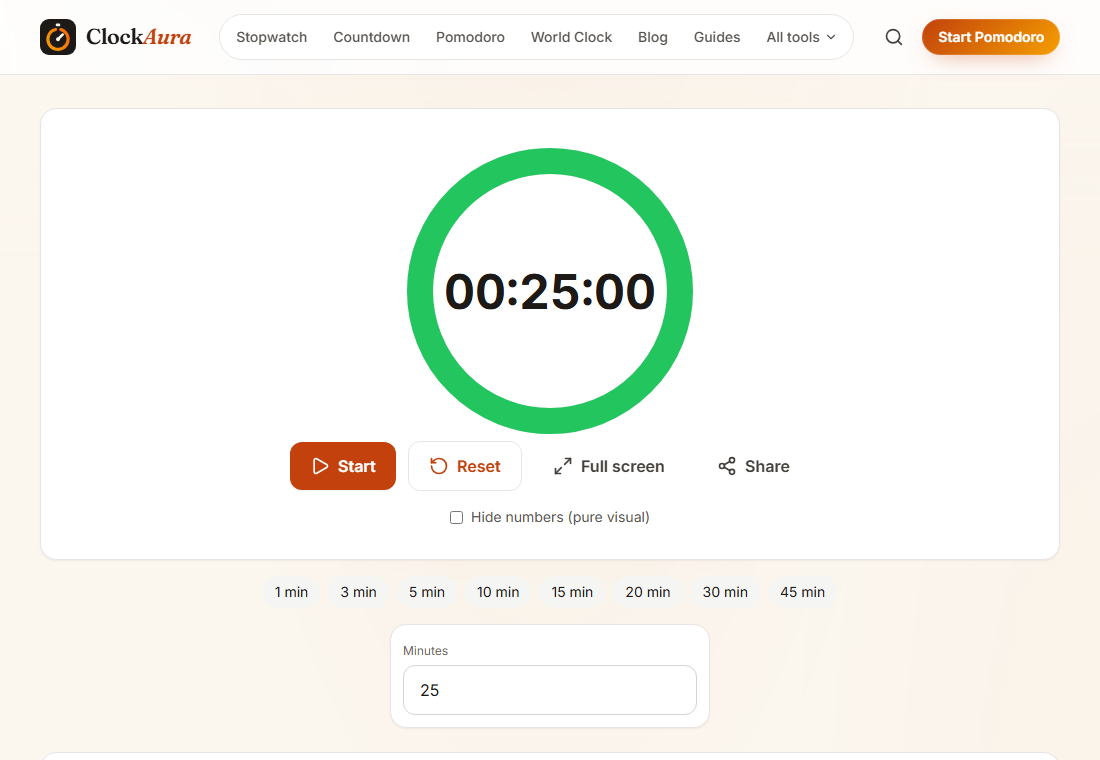
A visual timer suits timeboxing because you can see how much of the box is left at a glance. We set it to 25 minutes for the screenshot. To run a box:
- Open the visual timer. The link sets 25 minutes; change it to your box length (for example 45 for slide prep).
- Write the task and what "done" means for this box on a sticky note.
- Start the timer and keep only that task open.
- When it ends, mark the box done, good enough, or needs another box, and note the actual time on your plan.
Common mistakes
Making the boxes too tight
If every box overruns, your estimates are too optimistic. Add 25 percent to your usual guess for a week and see how that feels.
Ignoring the end of the box
The whole method depends on stopping. If you always "just finish this bit", you are back to an open-ended to-do list. When the timer goes, at least pause and make a conscious choice.
Boxing everything, including breaks to the minute
A timeboxed day should have structure, not be a cage. Leave buffers, and don't panic if a break runs a few minutes long.
Not reviewing
Without a quick daily review, you repeat the same estimation mistakes. Five minutes a day is enough.
FAQ
What is the difference between timeboxing and time blocking?
They are closely related. Time blocking means putting tasks into slots on your calendar. Timeboxing adds a firm limit: the task gets that time and no more. Many people use the words for the same thing in practice.
What happens if I don't finish a task inside its box?
Stop and decide. Either accept what you have as good enough, or schedule a new box for it later. The key is making a conscious choice rather than letting it quietly take over the rest of the day.
How long should a timebox be?
For most focused work, 45 to 90 minutes. For admin and email, 15 to 30 minutes. Longer than 90 minutes is usually better split into two boxes with a break.
Can students use timeboxing for homework?
Yes. Give each subject or assignment a fixed box, for example 40 minutes for a maths worksheet, and use a timer. It works especially well for essays and projects, which tend to expand to fill a whole evening.
Is timeboxing better than Pomodoro?
They solve different problems. Timeboxing decides how much time each task gets. Pomodoro helps you stay focused while you work. Many people use both: a timebox on the calendar, Pomodoro blocks inside it.